How do I connect my email to my iPhone

How do I connect my email to my phone

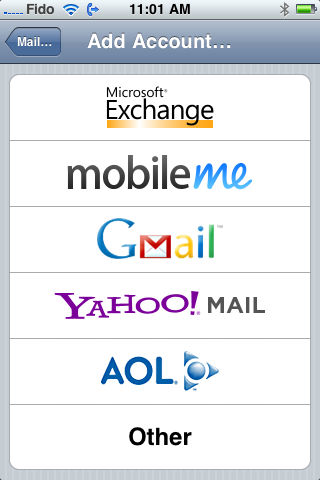
In order to set up your iPhone for IMAP or POP retrieval please select "Other" as the mail account you add:
iPhone


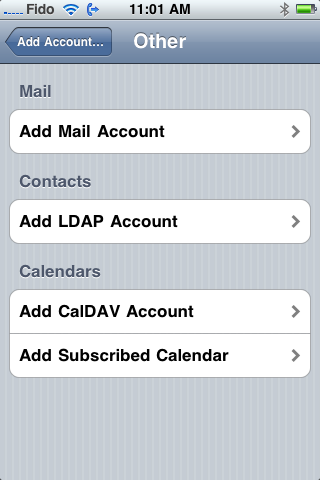
Then select "add mail account"


iPhone


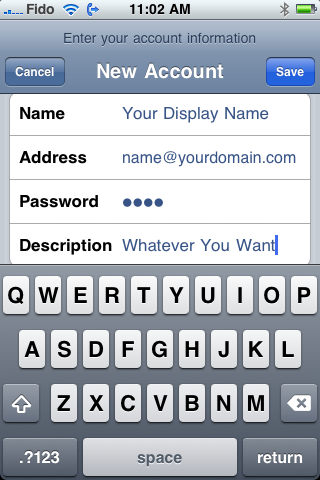
Put in your information as shown below then click save:
iPhone


The iPhone will attempt to autoconfigure afterwhich it will get an error, go ahead and enter the information manually as shown:
 

iPhone


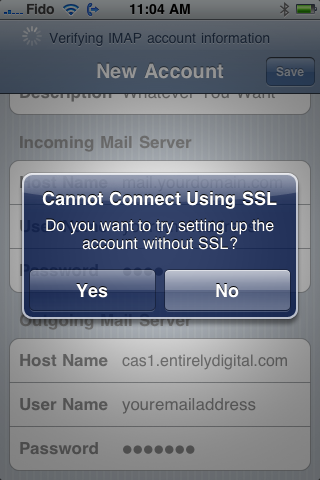
The iPhone will attempt to connect via SSL whish is not supported, just click yes to the window below:
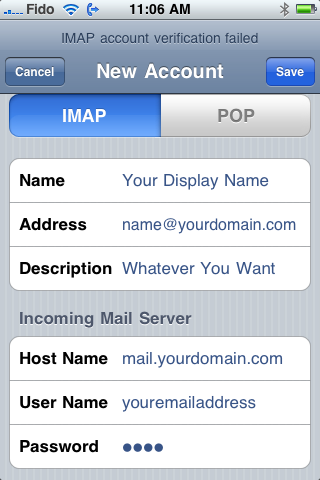
 

iPhone


Ensure your SMTP server is set to authentication and that the outgoing port is set to 587:
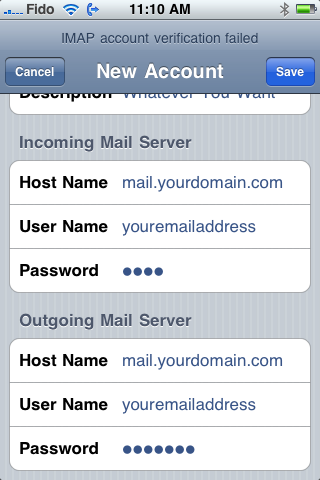
 

iPhone

  • 0 Els usuaris han Trobat Això Útil
Ha estat útil la resposta?

Articles Relacionats

Webmail

VPS Canada offers its Webmail feature to all users for convenience, we recommend that users...

Email Sending Limits and Throttling

Yes, indeed there is a limit of 250 emails per hour per domain. If you reach your throttle limit,...

Spam from Website forms

Spammers are now trying to use forms to send email to individuals at companies, or at mailing...

I can receive email but I cannot send email

If you can receive email and you cannot send email, the most likely cause is that your isp is...

Do you allow autoresponders?

Yes, we support autoresponders and vacation "away" messages for each email account. You can...

Powered by WHMCompleteSolution